- Don't Get Left Behind
- Posts
- Reverse Prompting for Images: The Art of Plagiarizing Yourself
Reverse Prompting for Images: The Art of Plagiarizing Yourself
Because why pay for stock photos when you can trick a robot into making them?

Tom Babb
February 01, 2025
Reverse prompting is cheating the system in plain sight. Instead of guessing the perfect AI prompt, you start with the final product—an image, an article, a design—give it to AI, and let it tell you exactly what you should have said to get the same outcome. It’s not creativity. It’s precision. And in my opinion, this is how content stops being an art and starts being a science.
I’ll be talking about reverse prompting a lot in the coming weeks, but today, let’s start with images.
Before AI, finding the perfect image meant either paying for it, hoping you weren’t stealing copyrighted material, or rolling the dice on Google Images. Now, that entire process is obsolete.
Take an image you like. Let AI describe it. Then feed that description into a text-to-image generator and watch AI rebuild it from scratch.
I’ve seen what happens when a post unexpectedly blows up. In 2022, AI helped me write a post that hit 25 million views and was covered by 400+ media outlets. If I had grabbed an image from Google, that success could have come with a lawsuit.
How to Reverse Prompt an Image
Step 1: Find an image online that fits your needs. Save or copy the image.
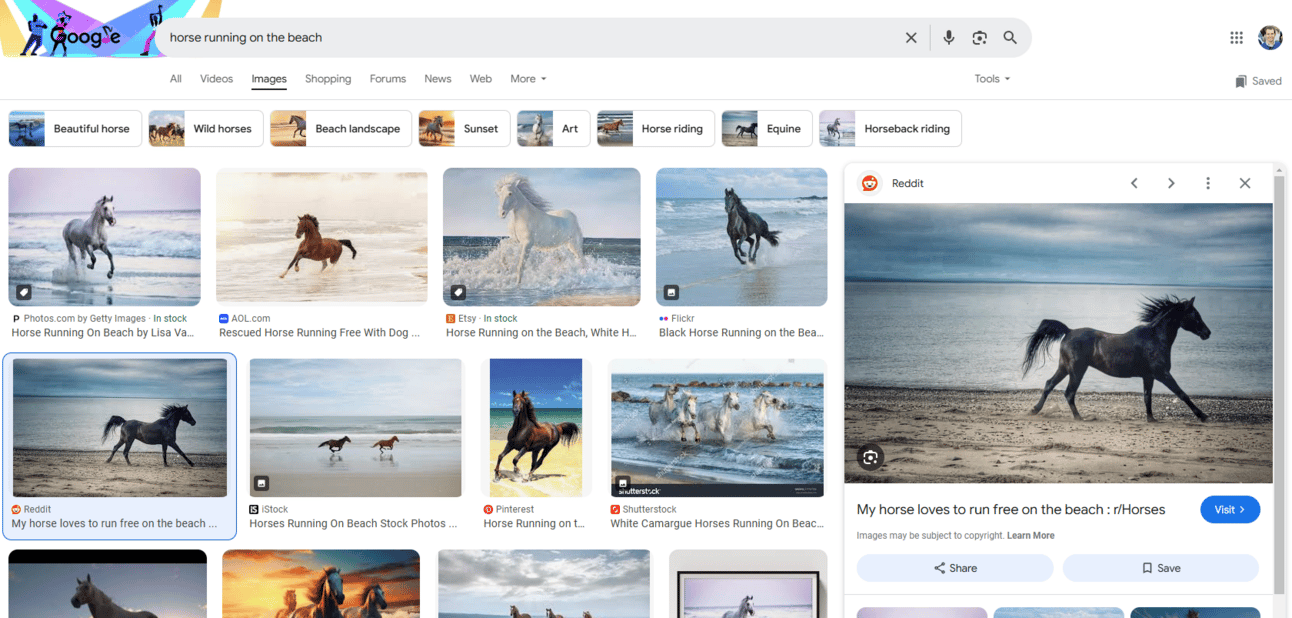
Step 2: Upload the image to AI and ask AI (I use ChatGPT) to describe it in detail.
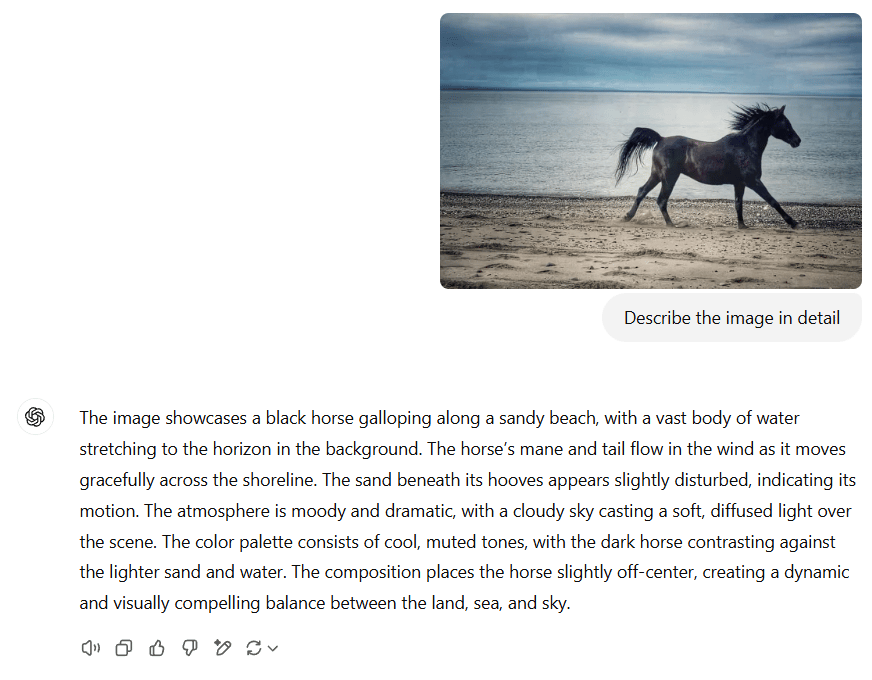
Step 3: Copy that description and plug it into a text-to-image tool like Ideogram, MidJourney, ChatGPT, or Google’s ImageFX. The description is your prompt.
Press enter. Beep, Boop, Bop…
Voilà… This is what the AI created based on the description 👇
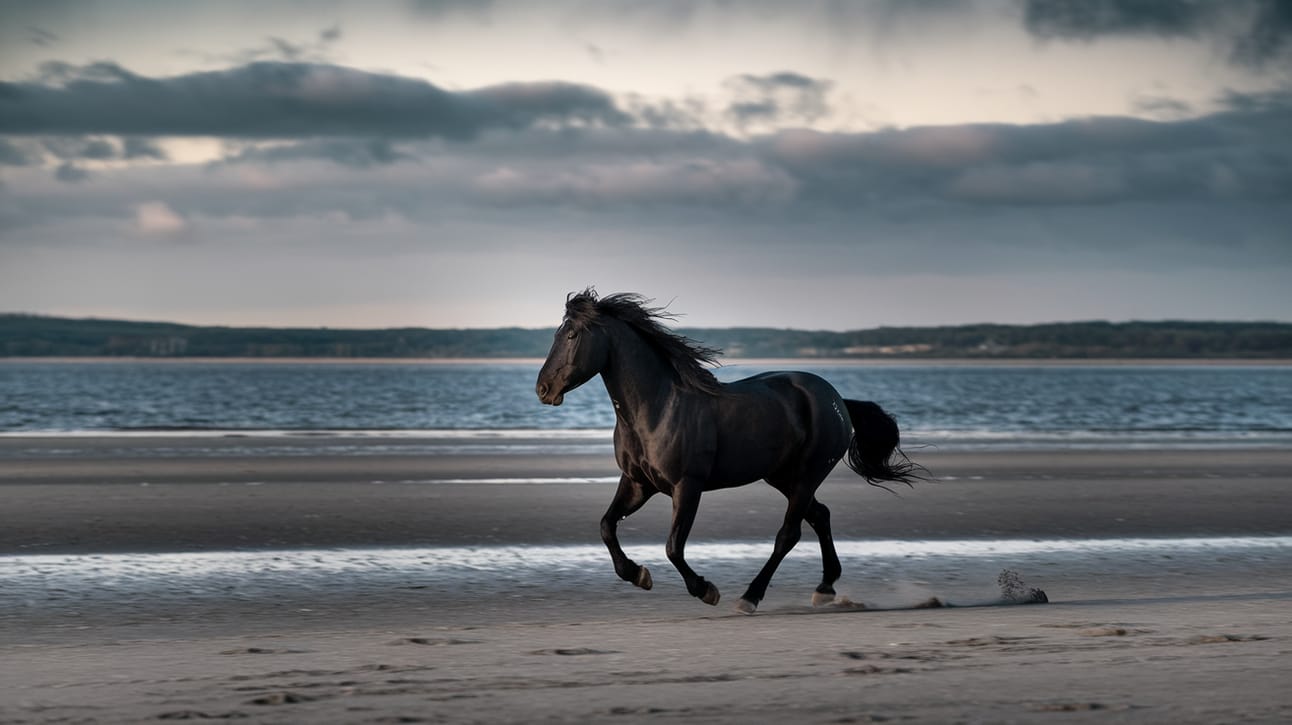
From the AI’s perspective, it’s simply generating a description. But from our perspective, it’s revealing the exact prompt required to recreate the same result.
Pro tip: Instead of just one image, describe multiple images you like and merge their elements into a single prompt. It’s like turning a mood board into a custom AI-generated visual.
Reverse prompting, man… it changed me.